What Studies Show About Time Tracking and Trust
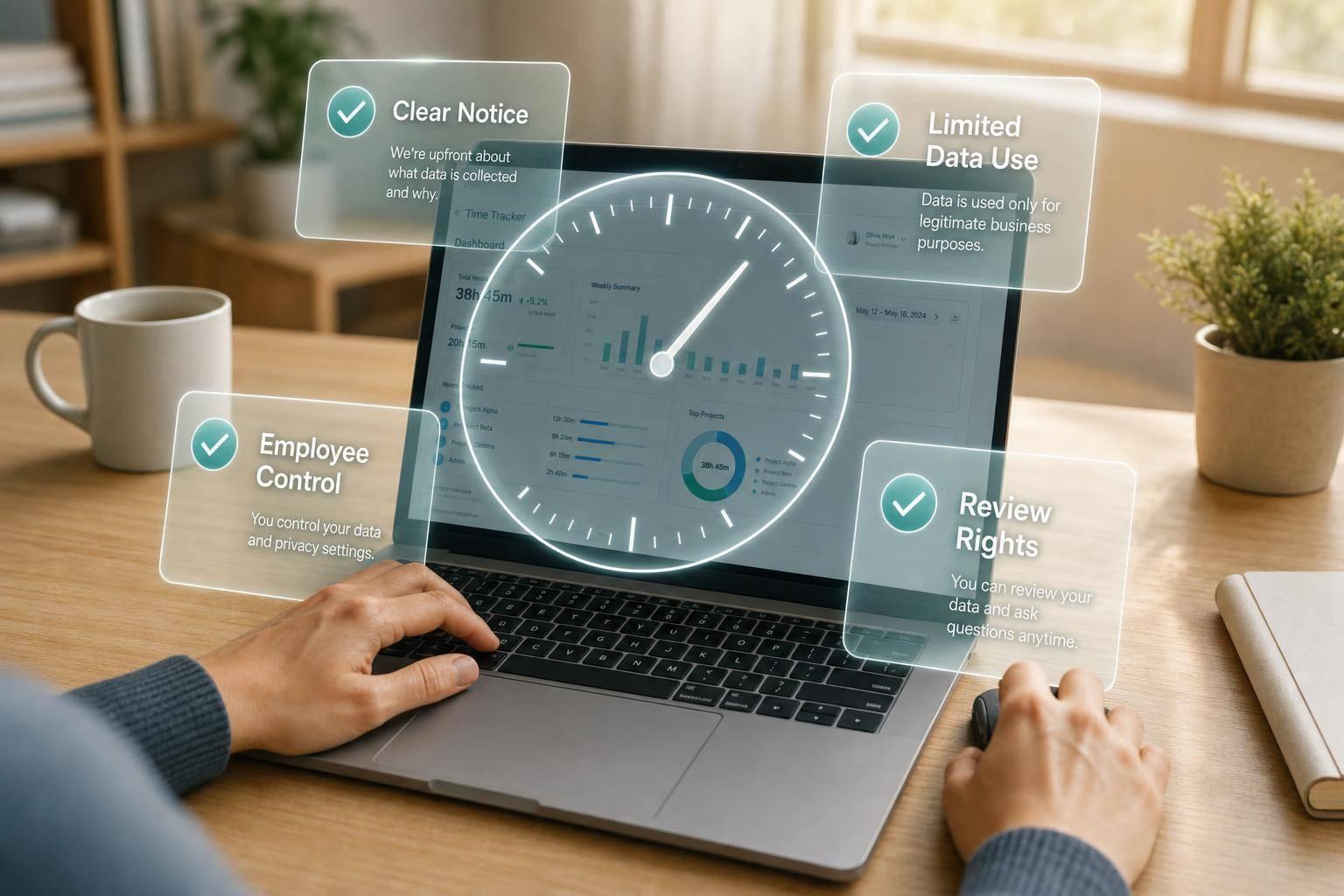
What Studies Show About Time Tracking and Trust
Time tracking does not break trust on its own. Poor rules do. What studies keep showing is simple: people are more open to tracking when they get clear notice, a clear reason, and a way to check or fix their records.
If I had to boil the article down, I’d put it like this:
- Basic time logs for hours, breaks, and billing are often easier for teams to accept.
- More aggressive monitoring - like keystroke logs, screen recording, and live activity watching - gets more pushback.
- Trust often comes down to 4 things: notice, purpose, employee control, and data use limits.
- People want to know:
- What is being tracked?
- Why is it being tracked?
- Who can see it?
- How long is it kept?
- Can I review or fix it?
- When rules are vague, hidden, or too broad, fear of misuse grows fast.
- When workers can start and stop timers, review records, and correct errors, the system feels more reasonable.
A few policy choices matter most:
- Limited collection: track only what the company needs for payroll, billing, or workload records.
- Written notice: say what starts tracking, what ends it, and what data is stored.
- Review rights: let employees see their own logs before the data is used.
- Correction path: give people a set way to fix wrong records.
- Retention limits: some teams keep activity data for as little as six weeks before deletion.
- Use limits: data collected for pay or billing should not quietly shift into unrelated performance review use.
Here’s the short version: workers usually react less to the timer itself and more to whether the system feels open, narrow, and under control. That’s the core point the research supports, and it’s the lens I’d use to read the rest of the article.
What Studies Show About Monitoring, Fairness, and Management Trust
Research shows that how workers respond to monitoring depends less on the tool and more on how far it goes, why it's used, and how it's explained.
When Tracking Supports Accountability Instead of Suspicion
People tend to accept tracking when it has a narrow, clearly stated purpose, like recording hours worked or backing up client billing. In that context, automated recordkeeping can cut down on errors, disputes, and everyday confusion. It also creates a clear audit trail, which makes fixes easier and lowers conflict over logged hours.
That changes when tracking starts to stretch past the job it was meant to support.
When Visible Control Starts to Erode Trust
Trust starts to slip when monitoring goes beyond normal accountability. Keystroke logging, screen recording, and real-time activity tracking can feel intrusive, especially when they run all the time or aren't clearly connected to the work. At that point, visible control doesn't feel like coordination. It feels like surveillance.
There's also a management cost. Reactive management adds stress and burnout. Morale tends to improve when policies and workflows change with the team's day-to-day needs instead of staying stuck in static, punitive checklists.
These findings lead straight into the next issue: which policy choices make monitoring feel fair instead of intrusive.
sbb-itb-338a5ab
How Workers Respond to Time Tracking in Research and Surveys
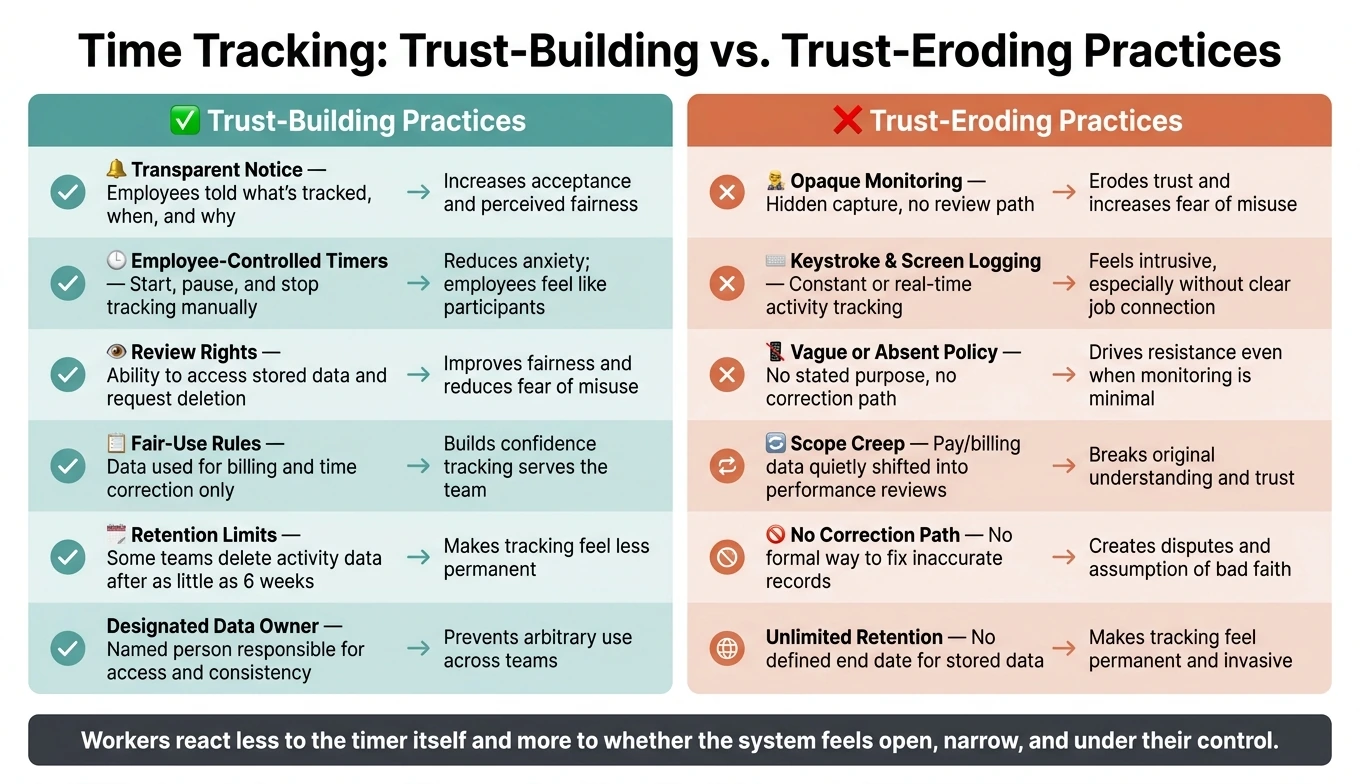
Time Tracking Trust Factors: Practices That Build vs. Erode Employee Trust
Research and surveys point to a simple idea: worker response to time tracking is mostly a trust test. People tend to accept systems they can understand and control. They push back on systems that feel hidden, unclear, or open-ended.
Worker reactions vary. Some employees are fine with time tracking. Others worry about being watched or judged in the wrong way. In most cases, the split comes down to notice, control, and access.
What Increases Acceptance: Notice, Purpose, and Employee Control
Acceptance goes up when employees know what is being collected, why it is being collected, and how it connects to a valid work purpose - like recording hours, billing clients, or forecasting workload. When tracking is tied to a stated purpose, employees are more likely to view it as fair instead of arbitrary.
Employee control matters too. Giving people direct control over their own timers adds another layer of trust. It turns tracking from something done to them into something they take part in. Access to records, plus a way to fix mistakes, can also strengthen trust.
What Drives Resistance: Hidden Capture, Vague Rules, and Fear of Misuse
Resistance often starts when employees don't know what is being collected. Features like keystroke logging, screen recording, and real-time activity monitoring can increase employee anxiety and pushback. The core worry is misreading: one captured moment can end up being treated like a verdict on overall performance.
Vague policies make that worse. If employees can't clearly access stored information - or don't have a way to request deletion - trust can fall apart fast.
Trust-Building Practices vs. Trust-Eroding Practices
The same patterns show up in policy. Some practices make tracking feel fair. Others make it feel intrusive.
| Practice | Trust Impact |
|---|---|
| Transparent notice - employees told what's tracked, when, and why | Increases acceptance and perceived fairness |
| Employee-controlled timers - start, pause, and end tracking manually | Reduces anxiety; employees feel like participants, not subjects |
| Review rights - ability to access stored information and request deletion | Improves perceived fairness and reduces fear of misuse |
| Fair-use rules - data used to correct time and support billing, not micromanage | Builds confidence that tracking serves the team, not just management |
| Opaque monitoring - hidden capture, vague rules, no review path | Erodes trust and increases fear of misuse |
| Vague or absent policy - no stated purpose, no correction path | Drives resistance even when monitoring is minimal |
That puts the next focus on notice, access, and fair-use rules.
Policy Choices That Shape Team Response
Policy wording shapes trust just as much as the software does. Retention, access, and use limits often decide whether tracking feels narrow and job-related or broad and never-ending.
After notice and control are set, the next trust check is simple: How long is data kept, who gets to see it, and what can they do with it?
Clear Notice and Limited Collection Reduce Perceived Intrusion
A written notice should spell out exactly what gets collected, when tracking begins and ends, and the business reason for each part of the system. That kind of clarity matters. But notice alone isn't enough. Collection also needs to stay limited to what the business actually needs. If a company uses constant, detailed monitoring for something basic like payroll or billing, it creates exposure that isn't needed.
Retention rules should live in that same document. Some organizations keep activity-related data for as little as six weeks, then delete it. A set end date makes tracking feel less permanent. It also gives employees a direct answer when they ask how long their data stays on file.
Retention rules are the next part of that trust check.
Review Rights and Correction Paths Improve Perceived Fairness
Employees should be able to review their own logs and time records before that data is used for payroll or performance reviews. That sends a plain message: the process isn't one-sided. When people can check their own records and point out mistakes, they're less likely to assume the data is being used against them.
The path for fixing errors should be formal, not casual. Employees need a clear way to request changes or deletions. It shouldn't depend on mentioning a problem to a manager and hoping someone follows through.
The next policy issue is scope: who can use the data, and for what reason?
Fair-Use Rules Matter as Much as the Tool Itself
This is where a lot of policies weaken. Time data collected for pay accuracy and project billing should stay tied to those uses. If the same records later get pulled into unrelated monitoring or performance decisions, that breaks the original understanding.
It also helps to assign one person to own tracking data. Without a named owner, access can drift from team to team and shift to shift. Written rules for access, retention, and use show employees what their exposure looks like. They also give managers a clear boundary they shouldn't cross.
| Policy Element | What It Covers | Why It Matters |
|---|---|---|
| Retention rules | How long data is stored before deletion | Limits perceived intrusion; defines a clear endpoint |
| Correction paths | A formal process to correct or delete inaccurate records | Prevents disputes; builds confidence in accuracy |
| Designated owner | Named person responsible for data access and consistency | Prevents arbitrary use; ensures accountability across teams |
What the Evidence Means for Consent-Based Time Tracking
Research doesn’t show that time tracking is automatically good or bad for trust. The bigger point is simpler than that: worker response depends on notice, control, purpose, and data use. In plain English, people care less about the fact that tracking exists and more about how it works and what happens to the data after it’s collected.
So the practical issue isn’t whether tracking should exist at all. It’s which controls make it feel fair instead of intrusive.
Design Choices That Align With the Research
The features linked to higher acceptance have one thing in common: employees stay in control of what gets shared and when. Employee-controlled timers and visible status signals make the process clear and worker-led, not hidden or one-sided. Personal dashboards help too, because workers can see their own hours, sessions, and notes without guesswork.
Screenshot review matters for the same reason. If employees can delete screenshots they don’t want shared before upload, the process feels less invasive. That’s why pre-upload review matters more than hidden capture. Managers only see approved records, which lines up with research showing that review rights improve perceived fairness.
AllyTracker uses those controls in a consent-based workflow. AllyTracker lets employees control tracking and review screenshots before sharing them.
Conclusion: Trust Comes From Policy, Visibility, and Employee Control
Studies show that the policies around a tool matter just as much as the tool itself. When notice, control, and limited data use work together, worker perception shifts from surveillance to accountability. That’s what makes consent-based tracking workable.
Does time tracking always reduce trust?
No. Time tracking doesn’t automatically reduce trust.
When it’s consent-based, gives clear notice, and lets employees control timers and review their own data before sharing, it can support transparency, mutual respect, accountability, and professional autonomy.
What kind of tracking feels too invasive?
Tracking starts to feel too invasive when it moves past time and attendance and into continuous real-time monitoring, screen monitoring or recording, and close user-activity tracking like keystroke logging.
For a lot of people, that crosses a line. It can chip away at trust fast, especially when they can’t tell what’s being collected or don’t have much say over what gets shared.
How can companies make tracking feel fair?
Companies can make time tracking feel fair by keeping it clear, limited, and based on consent. That means employees should know what’s being tracked, why it’s being tracked, and when it starts and stops. They should also have control over when tracking begins, pauses, and ends, plus a chance to review what was captured before anything gets shared.
Transparency matters just as much. Personal dashboards, session notes, and clear expectations help remove guesswork. Using only approved materials for screenshots and verified timesheets also makes monitoring more predictable, limited, and easy to review.