Study Summary: Work Hours Boundaries and Tracking
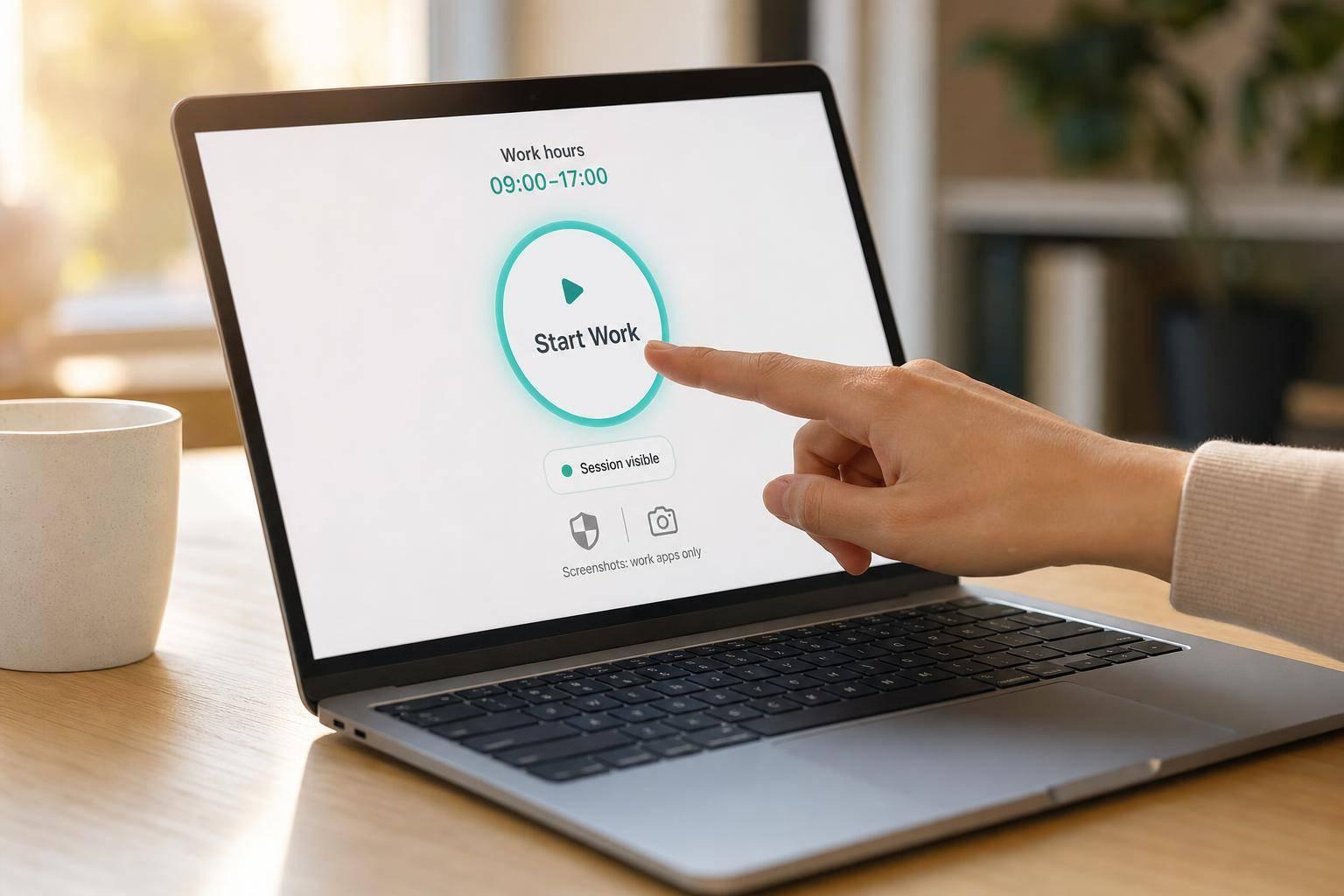
Study Summary: Work Hours Boundaries and Tracking
If you track employee time, the line is simple: record work hours without turning off-hours into work time.
I read the research and the main point is clear. Tracking works best when it is limited to work hours, plainly explained, and tied to one clear reason like payroll, billing, or time records. Problems start when after-hours contact feels expected, when monitoring goes past work time, or when people do not know what is being tracked.
Here’s the article in plain English:
- After-hours work becomes a problem when it feels constant or expected
- People handle flexible schedules better when they control their boundaries
- Tracking gets less pushback when it is visible, work-only, and easy to explain
- Screenshots carry more privacy risk than time logs
- Off-hours tracking should not happen
- A sound policy should cover shifts, breaks, screenshots, access, and after-hours rules
A few points stand out right away:
- Employee-started timers help keep work time separate from personal time
- A visible “tracking is on” status cuts guesswork
- Auto-pause after 5 minutes of idle time can keep non-work time out of the record
- Screenshot review by the employee before sharing adds a needed privacy check
| Area | What the article says |
|---|---|
| After-hours work | Fine once in a while, but stress grows when it feels normal |
| Boundary control | Clear start/end times and break rules lower confusion |
| Time tracking | Best when it runs only during work hours |
| Screenshots | Highest privacy risk; need tighter rules |
| Off-hours data | No business reason to collect it |
So if I had to reduce the full article to one rule, it would be this: track time for work, stop tracking when work stops, and tell people exactly how the system works.
What Research Says About After-Hours Work and Boundary Control
Research ties frequent after-hours work to higher stress and more spillover into personal time. And the problem gets worse when employees have little say over when work reaches them. That’s a big deal for tracking policy, because monitoring can help protect boundaries - or quietly erode them.
After-Hours Connectivity Is Most Harmful When It Is Constant or Expected
The damage grows when after-hours contact stops being occasional and starts feeling normal. It hits harder when employees believe they’re expected to answer.
Research points to a reactive cycle: teams end up spending more time handling last-minute requests than following a plan. Those fire drills tend to create more stress than planned work. When ownership is fuzzy, tasks slip, handoffs get messy, and mistakes become more common.
That kind of constant reaction mode can also push people toward burnout, especially those who carry the load for urgent, last-minute demands.
Boundary Control Reduces Strain Even When Work Is Flexible
Flexibility helps only when the rules are clear. Clear shifts and break tracking protect both work time and recovery time. Planning ahead cuts fire drills and lowers burnout risk. Clear ownership also reduces the after-hours scramble that blurs the line between work and personal life.
| Practice | Protects | Result |
|---|---|---|
| Clear shift start and end times | Clarity on when employees are available | Reduces ambiguity and after-hours pressure |
| Break tracking | Recovery time during the workday | Helps protect non-work time |
| Proactive scheduling | Planned workflows over reactive responses | Fewer fire drills, lower burnout risk |
| Dedicated task ownership | Accountability for specific responsibilities | Fewer last-minute emergencies after hours |
Boundary control works best when it is built into the way work is organized, not just written into a policy. Clear schedules, defined ownership, and predictable workflows usually do more to protect off-hours time than policy language alone. The same logic applies to tracking: it should measure work, not send the message that employees are always on call.
sbb-itb-338a5ab
What Studies Show About Monitoring, Trust, and Privacy
Once work-hour boundaries are clear, the next step is simple: does the tracking system stay inside those lines? Studies point in the same direction. Monitoring tends to work better when it is limited, openly explained, and tied to a clear business reason. Under those conditions, employees are more likely to accept it.
Broad or Undisclosed Monitoring Often Increases Stress and Resistance
Employee monitoring software can do a lot. Common features include screen recording, activity tracking, app and website tracking, and location data. On paper, that may sound useful. In practice, when employees run into those features without a plain explanation, stress and pushback usually follow.
The biggest issue is scope creep. Employees worry that tracking may go past its stated purpose and start to feel less like record keeping and more like constant observation. Even when the data itself is accurate, trust tends to drop when monitoring feels excessive or hidden.
There’s another problem too: bad tracking creates friction of its own. If records are inconsistent, employees often end up scrambling to verify hours, track down missing information, or fix errors that should never have landed on their desk in the first place. So the issue isn’t tracking by itself. It’s tracking that is too invasive or too unreliable to do the job well.
Transparent, Work-Only Tracking Is More Acceptable to Employees
One finding comes through loud and clear across the research: employees are more comfortable with tracking when it is limited to work hours and clearly explained. People respond better when tracking runs only during working time and plainly stops when the shift ends. That’s why systems built around defined work hours tend to get the strongest employee buy-in.
Acceptance also improves when the reason for tracking is specific and easy to understand. Payroll verification, client billing, and project documentation are concrete uses employees can judge for themselves. Vague explanations are where things start to go sideways. Employers need to explain what data they collect, why they collect it, and how they use it. That kind of openness also helps build trust.
Tracking tools also tend to face less pushback when they cut down on manual fixes and approval back-and-forth. If the system makes admin work lighter instead of piling more onto people, it starts to feel less like surveillance and more like support. That same idea should guide how employers set these tools up.
How to Apply These Findings in a Privacy-First Tracking Setup
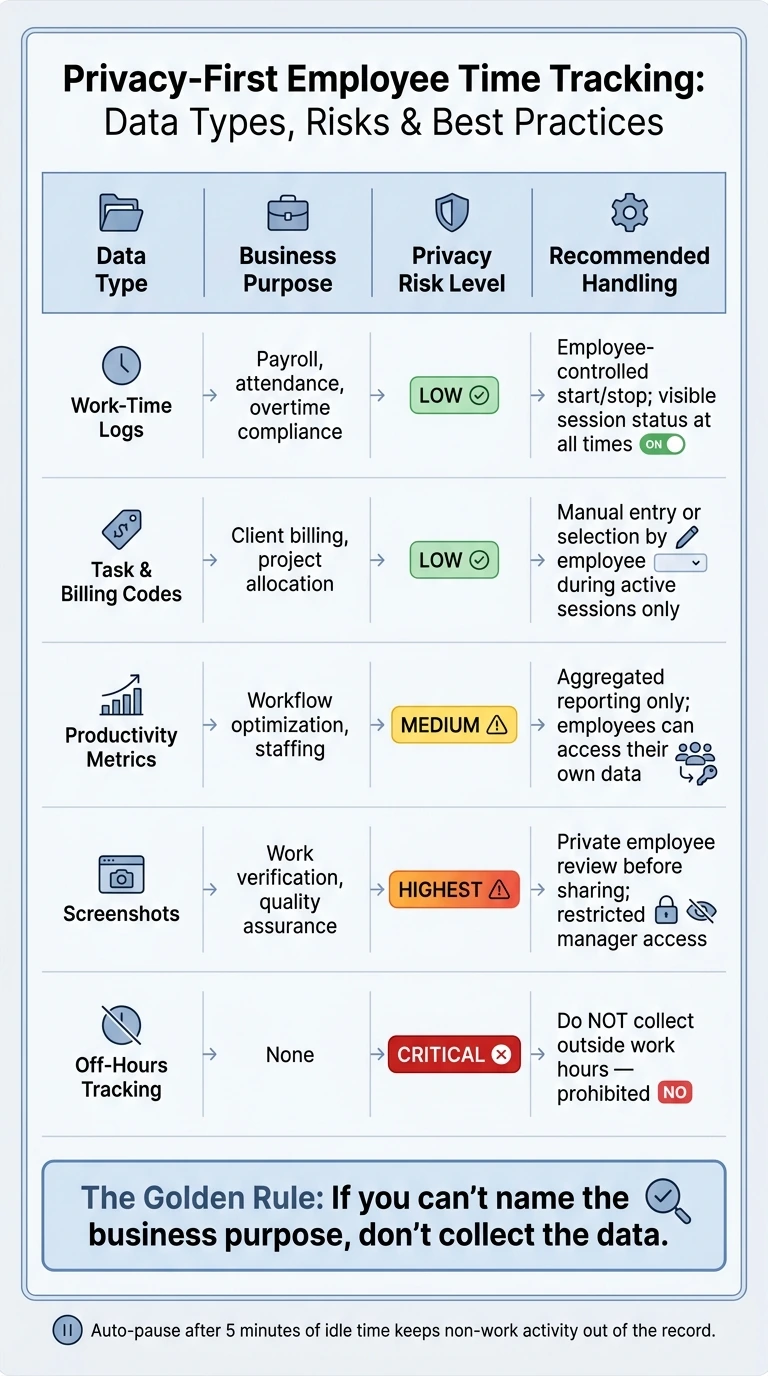
Privacy-First Employee Time Tracking: Data Types, Risks & Best Practices
Turn the findings into three simple rules: employee control, visible sessions, and purpose-limited data.
Use Employee-Controlled Timers and Clear Stopping Rules
Use employee-started timers with clear pause and end rules. Employees should also see an active-session indicator at all times, so there’s no guesswork about whether tracking is on. Idle time needs a clear rule too. Auto-pausing after a set period of inactivity helps keep non-work time out of the log.
AllyTracker follows this setup with employee-controlled start, pause, and end tracking, a visible session status, auto-pause after 5 minutes of idle time, and personal dashboards.
That same line should apply to every other kind of data the system collects.
Treat Screenshots as the Highest Privacy-Risk Feature
Screenshots belong in a different bucket than time logs. A time log shows when work happened. A screenshot can show what was on the screen. That makes screenshots a much bigger privacy risk than time logs.
The bare minimum safeguards are simple: let employees review screenshots before anything is shared, and limit who can access them. That way, accidental captures stay on the employee’s device unless the employee approves them.
AllyTracker supports that process with a private screenshot review tray, permanent deletion of removed images, and a manager-approved screenshot gallery.
Match Tracking Data to a Defined Business Purpose
Each data type should connect to one named business purpose. If you can’t name the purpose, don’t collect the data. The table below matches each data type to one purpose and one handling rule.
| Data Type | Business Purpose | Privacy Risk | Recommended Handling |
|---|---|---|---|
| Work-time logs | Payroll, attendance, overtime compliance | Low | Employee-controlled start/stop; visible status |
| Task & billing codes | Client billing, project allocation | Low | Manual entry or selection by employee during active sessions |
| Productivity metrics | Workflow optimization, staffing | Medium | Aggregated reporting; transparent access for employees to their own data |
| Screenshots | Work verification, quality assurance | Highest | Private review by employee before sharing; restricted manager access |
| Off-hours tracking | None | Critical | Do not collect outside work hours |
Use data minimization: collect only the data needed for the named purpose.
Conclusion: What a Boundary-Respecting Tracking Policy Should Include
The research points to a simple rule: employees are more likely to accept tracking when they know when it runs, what it collects, and who can see it. It also lands better when it stays inside work-hour boundaries and keeps access clear. That means a sound policy should spell out start and stop times, break handling, screenshot purpose, and access rules.
From there, the job gets practical. Every team needs clear answers to five policy questions.
Each tracking policy should also have a named owner. One person should own the system and the SOPs.
Key Points for HR, Operations, and Team Leads
Here’s the checklist:
- When does tracking apply? Define each employee's shift boundaries so tracking lines up with actual working hours.
- How are breaks handled? Track breaks separately so they remain distinct from work time.
- Who can see what? Define reporting access by role so people know who can view tracking data.
- When are screenshots used? Define the screenshot purpose and review process before any image is shared.
- What happens after hours? Prohibit off-hours tracking.
AllyTracker supports this kind of boundary-respecting setup with employee-controlled start, pause, and end timers, a private screenshot review tray, and set screenshot intervals.
How do we set clear work-hour boundaries?
Set clear schedules, and have employees track only their assigned work time, including breaks, instead of slipping into ad hoc, around-the-clock hours.
With AllyTracker, teams can set schedules fast, and employees can log both work hours and breaks. That helps keep work inside agreed time windows and makes after-hours activity easy to spot in time logs.
When should screenshots be used?
Screenshots should be used only for a clear, limited purpose like screen monitoring or work-time recording. And they should be used only when employees have given consent and can see what will be captured.
With AllyTracker’s consent-based setup, employees control their own timers and can review screenshots before sharing them. That makes screenshots fit an approved monitoring process, not hidden observation.
What should a privacy-first tracking policy include?
A privacy-first tracking policy should spell out what data is collected - like work hours, breaks, and any kind of monitoring - and why the company collects it.
It should also make clear:
- when tracking is turned on
- what rights and choices employees have
- how personal data is shared, stored, and deleted
- what the rules are for consent, security, and compliance
That way, people know exactly what’s being tracked, when it happens, and how their information is handled.