Consent vs Purpose in Employee Monitoring
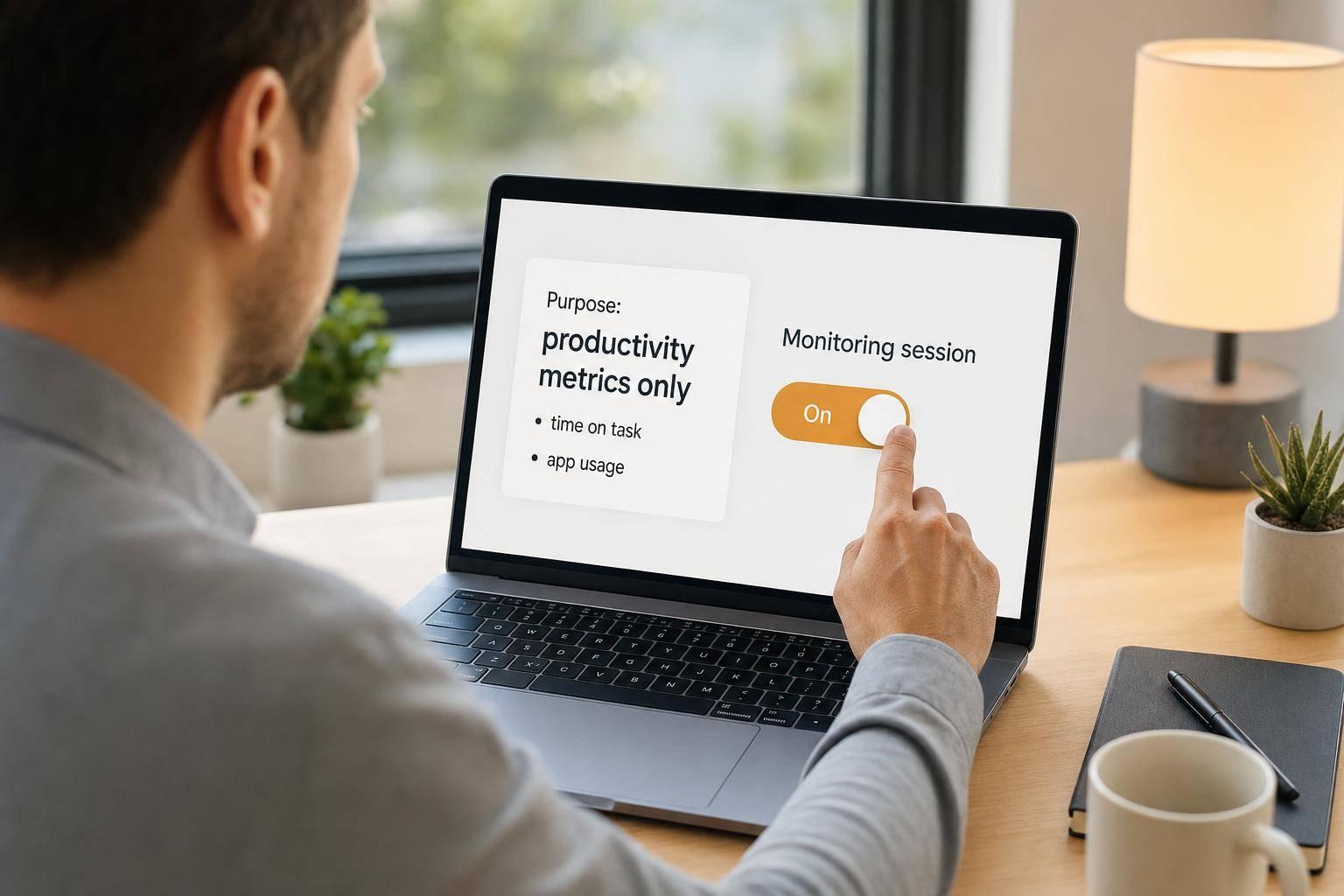
Consent vs Purpose in Employee Monitoring
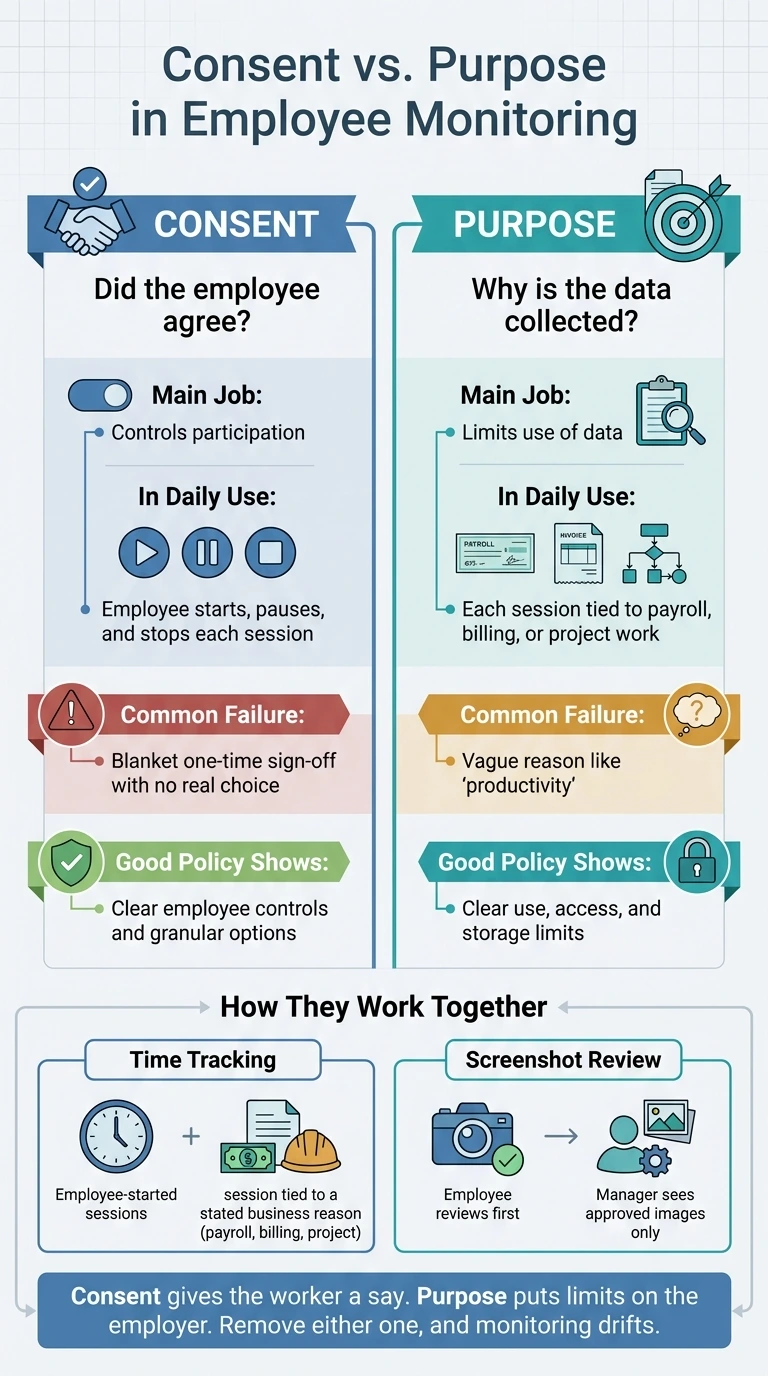
Here’s the short answer: consent and purpose are not the same thing. Consent covers whether an employee agrees to a tracking session. Purpose covers why the employer collects the data and how far its use can go.
If you want a monitoring setup that people can understand and use, both parts need to be clear:
- Consent should happen session by session, not as a one-time form
- Purpose should stay narrow, such as payroll, client billing, or project proof
- Employees should be able to start, pause, and stop tracking
- Screenshot review should happen before a manager sees anything
- Data rules should state what is collected, who can see it, and how long it stays stored
A 1-time policy sign-off does not fix a weak monitoring process. And a business reason alone does not tell workers when tracking is on or what happens next. That is why these two controls cover different risks.
Quick comparison
| Area | Consent | Purpose |
|---|---|---|
| Main question | Did the employee agree? | Why is the data collected? |
| Main job | Controls participation | Limits use of data |
| In daily use | Start, pause, stop a session | Tie each session to payroll, billing, or project work |
| Main failure | Blanket yes with no choice | Vague reason like “productivity” |
| What good policy should show | Clear employee controls | Clear use, access, and storage limits |
In plain terms, I’d sum it up like this: consent gives the worker a say, and purpose puts limits on the employer. Remove either one, and the process can drift fast.
Employee Monitoring: Consent vs Purpose Explained
Consent vs. purpose: the key differences
Consent controls participation; purpose controls justification
Consent deals with employee participation. Purpose deals with why data is collected and how it can be used.
Consent gives employees an active role in monitoring. It’s a deliberate choice to take part. Purpose, on the other hand, is the employer’s stated reason for collecting that data, whether that’s payroll, billing, or project verification. It also shapes how long the data is kept. That’s a different issue from whether the employee said yes.
| Dimension | Consent | Purpose |
|---|---|---|
| Role | Controls employee participation and awareness | Controls the reason for collection and limits of data use |
| Scope | Day-to-day tracking actions, such as starting a timer | Documented reason for collection, such as payroll, billing, or project verification |
| Common weakness | Fails when it is all-or-nothing, with no real granular choice | Fails when the stated reason is too broad |
| Practical control | Start, pause, and end controls | Clear purpose statements and documented business reasons |
This gap becomes a lot easier to see when monitoring stops being a policy on paper and starts showing up in daily work.
Where consent and purpose break down
Both controls tend to fail in pretty predictable ways.
Consent breaks down when it turns into a blanket agreement: one sign-off, no real choice, and no room for employees to decide what they’re okay with. For consent to mean much, workers need specific controls. They should be able to choose which types of tracking they accept instead of facing an all-or-nothing setup.
Purpose breaks down when the reason for collecting data is too broad. Saying the goal is “productivity” doesn’t say much. It doesn’t spell out what data will be collected, how long it will be stored, or what it will be used for. Employers need to define the business need, retention period, and use limits before monitoring starts.
You can see these weak spots most clearly in time tracking and screenshot review.
sbb-itb-338a5ab
When Does Employer Surveillance Violate Workplace Privacy? - Labor and Employment Law Expert
Why consent and purpose cannot replace each other
Consent and purpose break down in different places. They do different jobs. One can't stand in for the other.
You can see that most clearly in time tracking and screenshot review. These are everyday workflows, not edge cases. And that's exactly why the gaps matter.
Why consent alone is not enough
The biggest issue with relying only on consent is the power imbalance built into most employment relationships. Employees may feel pressure to keep their jobs, which means that consent may not be fully voluntary. In plain English: a signed form doesn't suddenly make always-on screen recording or extra keystroke logging okay when those tools go beyond the stated business need.
There's a second problem too: scope creep. Data gathered for time tracking can later be used for disciplinary action or performance audits without any added justification. Consent, by itself, doesn't put guardrails on later use. That's where purpose comes in.
Why purpose alone is not enough
A legitimate business reason doesn't, on its own, tell employees when tracking is active or how the data will be used. Without that notice, even a narrow purpose can still feel like surveillance.
Purpose also doesn't give employees any say or visibility. If workers can't tell when a session is running, can't review what was captured before it is shared, or can't flag an error in a timesheet, it's hard to trust the stated reason for monitoring.
| Risk Area | Consent Alone | Purpose Alone |
|---|---|---|
| Screen recording | Can capture sensitive personal information if it is always on | Employees may not know when recording is active, eroding trust |
| Time tracking | Workers may feel pressured to work through breaks to meet metrics | Without employee-facing controls, pay calculation lacks transparency |
The contrast stands out even more when you tie the risk to an actual workflow. Consent controls participation. Purpose controls justification. Remove either one, and the monitoring setup has a structural gap, not just a policy problem.
These gaps become clearest in time tracking and screenshot review.
How consent and purpose work together in time tracking and screenshot review
Consent and purpose shape two parts of monitoring: time tracking and screenshot review. The simplest way to judge both is this: does the setup keep employees in control, and does each step serve a clear business reason?
Time tracking: employee-started sessions tied to a clear business reason
Employees manually start, pause, and stop their own sessions. The timer does not run in the background, and it does not begin because of an admin action.
Before tracking starts, employees should select a project, client, or payroll code. That way, every session is tied to a stated business purpose instead of floating around without context.
AllyTracker follows this approach directly: employees control timers, add notes, review screenshots, and managers see approved galleries and verified timesheets.
Screenshot review: employee review first, manager access second
Screenshots are the most sensitive part of monitoring. Consent shapes employee review. Purpose shapes manager access.
Screenshots are taken only during active, employee-started sessions and then sent to an employee review queue. Employees review them first. If an image should not be shared, it is permanently deleted, and the related time is removed from the billable total. Managers see approved screenshots only.
What a clear monitoring policy should spell out
A clear policy should name each control in plain language. No vague wording. No room for guesswork.
| Policy Element | Document |
|---|---|
| Session trigger | Employee-started timer |
| Screenshot frequency | Screenshot cadence during active sessions |
| Review process | Employee review before manager access |
| Time adjustment | Time reduction after screenshot removal |
| Manager access | Approved-only access |
| Retention period | Storage duration before permanent deletion |
| Stated purpose | Stated business purpose |
Each of these details closes a gap. Without them, employees are left guessing, and that kind of uncertainty can wear down trust fast in any monitoring setup.
Conclusion: monitoring needs both employee control and defined limits
Taken together, consent and purpose set the line for both employee control and business limits. Consent gives employees a direct say in participation. Purpose sets the business reason and puts boundaries around data use. One does not stand in for the other.
For U.S. employers, the takeaway is simple: give employees real control. In day-to-day use, that shows up most clearly in time tracking and screenshot review. That means employee-started timers, screenshot review before manager access, and a personal dashboard that shows recorded activity. When employees can see the process and take part in it, consent starts to mean something. It’s not just a box to check.
In time tracking, a narrow purpose helps keep data collection tied to payroll, billing, and project verification. The stated purpose should stay tight, usually payroll, billing, or project verification. The narrower that purpose is, the easier it becomes to keep access in scope and stop monitoring from drifting past what was first stated.
AllyTracker follows this model with employee-controlled sessions, pre-share screenshot review, and manager access to approved time and billing data.
Put plainly: document the workflow and check access levels on a regular basis. Monitoring can start with a good setup and still drift if nobody stops to make sure the stated purpose still matches what’s happening in practice.
Can an employer monitor work without employee consent?
It depends on the legal and organizational framework in place. An employer may have a valid business reason to monitor work activity, but consent goes a long way. It builds trust, makes expectations clear, and helps people feel like they’re being treated fairly instead of watched from the shadows.
AllyTracker supports that model with employee-led tracking. Team members can start, pause, and stop their own sessions, then review screenshots before sharing them. That setup helps balance personal accountability with company oversight.
What counts as a valid purpose for employee monitoring?
A valid purpose means a legitimate, work-related need, such as:
- time tracking and attendance
- workflow or task tracking
- compliance or data security monitoring
Put simply, monitoring should support work processes like reporting, productivity review, and day-to-day oversight, not broad surveillance for its own sake.
How should screenshot review work in practice?
Screenshot review should follow a consent-first workflow.
Screenshots are captured for tracking. Then the employee reviews them before anything is shared and can add session notes if needed.
After that, managers receive an approved screenshot gallery for verification and context alongside time tracking. That keeps the review focused on validating work, while making sure employees can see exactly what is being shared.